How to Automate Your Finances (Set It and Forget It System)
Build a complete financial automation system that pays bills, saves money, and invests — all without you lifting a finger. Step-by-step setup guide with exact amounts and timing.
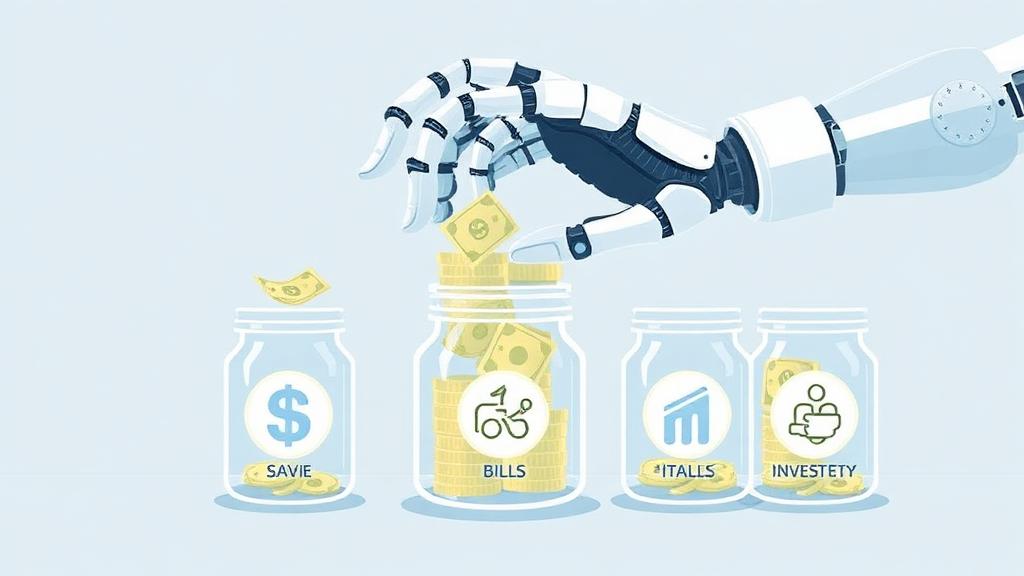
How to Automate Your Finances (Set It and Forget It System)
I have a confession: I’m terrible at discipline. Willpower? Basically non-existent after 3 PM. I’ve tried the “just be more disciplined” approach to money management — manually transferring savings, remembering bill due dates, making investment contributions by hand. It lasted about six weeks before I started “forgetting” to transfer money and “accidentally” spending what should have been saved.
Then I automated everything. And my savings rate went from 12% to 31% without feeling any different day-to-day. My bills were never late. My investments grew consistently. My credit score climbed 40 points. All while I did literally nothing.
Financial automation isn’t about being lazy — it’s about being smart. It removes willpower from the equation and replaces it with systems. Here’s exactly how to build yours.
Why Automation Beats Willpower (Every Time)
Research from behavioral economics tells us something unsurprising: humans are terrible at repetitive financial tasks. We “forget.” We procrastinate. We raid savings accounts for impulse purchases.
But automatic systems? They never forget. They never get tired. They never decide “I’ll do it next week.”
| Approach | Average Savings Rate | Late Payment Rate | Investment Consistency |
|---|---|---|---|
| Manual (willpower-based) | 8-12% | 12% of bills late | 40-60% of months |
| Partially Automated | 15-20% | 3% of bills late | 75% of months |
| Fully Automated | 25-35% | <1% of bills late | 99%+ of months |
The data speaks for itself. People who automate their finances save 2-3x more than those who rely on manual effort.
Pro Tip: The best financial system is the one you never have to think about. Every decision point is a potential failure point. Eliminate decisions by automating them.
The Complete Financial Automation System
Here’s the system I use, visualized as a money flow:
PAYCHECK → Checking Account (Hub)
                ↓
    ┌───────────┼────────────────────┐
    ↓           ↓                    ↓
Bills (auto)  Savings (auto)    Investments (auto)
    ↓           ↓                    ↓
Rent/Mortgage  Emergency Fund    401(k)/IRA
Utilities      Sinking Funds     Brokerage
Insurance      Short-term Goals
Subscriptions
Everything flows automatically from one central checking account. You fund the checking account, and the system does the rest.
Step-by-Step Setup Guide
Step 1: Choose Your “Hub” Checking Account
Your primary checking account is command central. Every dollar flows through here first. Choose one with:
- No monthly fees
- No minimum balance requirements
- Free bill pay
- Easy automatic transfer setup
- Good mobile app
I use a no-fee checking account from a credit union, but any fee-free account works. The key: keep roughly 1.5 months of expenses here as a buffer (so auto-payments never bounce).
Step 2: Set Up Automatic Bill Payments
Every recurring bill should be on autopay. Here’s my setup:
| Bill | Payment Method | Due Date Strategy |
|---|---|---|
| Rent/Mortgage | Auto-draft from checking | Due date (can’t change) |
| Utilities | Auto-pay from credit card | Varies |
| Phone/Internet | Auto-pay from credit card | Statement date |
| Insurance | Auto-draft from checking | Annually (saves 5-10%) |
| Subscriptions | Auto-pay from credit card | Various |
| Credit Cards | Full statement balance from checking | After statement close |
Important details:
- Pay insurance annually if possible — most companies offer 5-10% discounts for annual payment
- Set credit card autopay to “full statement balance” (never minimum!)
- Use credit cards for bills that allow it (earns cash back on fixed expenses)
- Keep 1-2 months buffer in checking to prevent overdrafts
Pro Tip: Schedule all bill payments for 2-3 days after your paycheck arrives. If paid bi-weekly, schedule half your bills after each paycheck. This prevents the anxiety of a near-zero balance after one big payment day.
Step 3: Automate Your Savings
This is where the magic happens. Set up automatic transfers from checking to savings on payday — before you have a chance to spend it.
The “Pay Yourself First” Automation:
| Savings Goal | Monthly Amount | Where It Goes | Transfer Day |
|---|---|---|---|
| Emergency Fund | $400 | High-yield savings account | Payday |
| Vacation Fund | $150 | Separate HYSA sub-account | Payday |
| Car Repair Fund | $100 | Sinking fund (HYSA) | Payday |
| Holiday Gifts | $75 | Sinking fund (HYSA) | Payday |
| New Phone/Tech | $50 | Sinking fund (HYSA) | Payday |
Total automated savings: $775/month
The psychological trick here is powerful: money you never see in your spending account doesn’t feel “spent.” It simply doesn’t exist for spending purposes. After 2-3 weeks, you completely adjust to the lower checking balance.
I recommend keeping savings in a high-yield savings account earning 4.5-5% APY rather than your checking account’s 0.01%. On $10,000 in savings, that’s $450-500/year in free interest.
Step 4: Automate Your Investments
401(k): This should already be automated through payroll deduction. If you haven’t maxed your employer match, do that NOW. It’s a 50-100% guaranteed return.
Roth IRA: Set up automatic monthly contributions from your checking account to your brokerage. $583/month = $7,000/year (maxed for 2026).
Taxable Brokerage: Any additional investing beyond retirement accounts. I have $200/month going to a total market index fund automatically.
| Investment Account | Monthly Contribution | Annual Total | Investment Choice |
|---|---|---|---|
| 401(k) | $979 (via payroll) | $11,750 + match | Target-date fund |
| Roth IRA | $583 | $7,000 | Total market index fund |
| Taxable Brokerage | $200 | $2,400 | Total market index fund |
| TOTAL | $1,762 | $21,150 | — |
Where to automate investments:
- Fidelity, Vanguard, Schwab all offer automatic investing
- Set contributions for the day after payday
- Choose “reinvest dividends” automatically
- Most brokerages allow fractional shares for small amounts
Step 5: Set Your “Spending Money” on Auto-Pilot
After bills, savings, and investments are funded, what’s left is yours to spend guilt-free. I call this “zero-guilt spending money.”
My monthly math:
- Income: $5,800
- Bills (automated): $2,150
- Savings (automated): $775
- Investments (automated): $783 (after 401k via payroll)
- Remaining for spending: $2,092
That $2,092 covers groceries, dining out, entertainment, gas, clothing, and personal purchases. I can spend it however I want without guilt because everything important is already handled.
This is the beauty of zero-based budgeting combined with automation — every dollar has a job, and the system does the work.
Step 6: Set Up Monitoring Alerts
Automation doesn’t mean zero oversight. Set these alerts:
- Low balance alert: Trigger at 1 month of expenses (catches problems before overdrafts)
- Large purchase alert: $200+ (catches fraud quickly)
- Bill payment confirmation: Each autopay sends email receipt
- Weekly spending summary: Most banking apps offer this automatically
I spend about 10 minutes per week checking my financial dashboard. That’s it. The system runs itself.
The Automation Timeline (Set Up in One Weekend)
Here’s your weekend project:
Saturday Morning (1-2 hours):
- List all recurring bills and their due dates
- Set up autopay for each bill (use credit cards where possible for rewards)
- Set credit cards to autopay full balance from checking
Saturday Afternoon (1 hour):
- Open a high-yield savings account if you don’t have one
- Create sub-accounts or separate HYSA accounts for each sinking fund
- Set up automatic transfers from checking to savings (payday schedule)
Sunday Morning (1 hour):
- Set up automatic Roth IRA contributions
- Increase 401(k) contribution percentage if not maxed
- Set up automatic taxable brokerage contributions if applicable
- Choose investments for auto-purchases (target-date or index fund)
Sunday Afternoon (30 minutes):
- Set up banking alerts (low balance, large transactions)
- Calculate your remaining spending money
- Document your system (screenshot or note the automation schedule)
Total setup time: 4-5 hours. After that? Maybe 10-15 minutes per week of monitoring. That’s it.
What to Automate First (If You Can’t Do Everything)
If a full system overhaul feels overwhelming, prioritize in this order:
- Bill autopay (prevents late fees and credit damage — immediate ROI)
- 401(k) match (free money — literally can’t afford not to)
- Emergency fund auto-transfer (even $100/month builds a solid emergency fund)
- Credit card autopay (full balance) (prevents interest charges forever)
- Roth IRA contributions (the earlier you automate this, the richer you’ll be)
- Sinking funds (prevents “surprise” expenses from derailing your budget)
Start with #1-3 this week. Add the rest within 30 days.
How Automation Saved Me From Myself
Real talk: before automation, I had a pattern. I’d get motivated on January 1, manually transfer money to savings for 6-8 weeks, then slowly stop. By March, I’d “borrow” from savings for a spontaneous trip or a sale. By June, my savings was back where it started.
Automation broke that cycle. The money leaves before I see it. My savings account isn’t linked to my spending debit card (intentionally — adds friction to raiding it). The psychological barrier of actively choosing to sabotage my system is much higher than the passive barrier of “forgetting” to manually save.
In the two years since fully automating, I’ve:
- Built a 6-month emergency fund from scratch
- Maxed my Roth IRA both years
- Paid off my car 14 months early
- Saved $4,200 for a vacation (paid in full, no credit card debt)
- Never paid a single late fee
All of this happened while I focused on living my life. The system worked in the background.
Troubleshooting Common Problems
”I’m afraid autopay will overdraft my account”
Keep a buffer of 1-1.5 months expenses in checking. If you’re living paycheck to paycheck, build this buffer first (even $500 helps), then turn on automation gradually. Start with just one bill on autopay and one small savings transfer. Build confidence, then add more.
”My income is irregular”
Automate at your guaranteed minimum income level. When extra money comes in, manually allocate it to savings/debt. Alternatively, use a “holding account” where all income goes first, then auto-transfer a fixed amount to checking bi-weekly. This creates artificial income regularity.
”What if a bill amount changes?”
Most autopay adjusts automatically (utilities, credit cards). For fixed-amount transfers, review quarterly. Set a calendar reminder to check your automation every 90 days. If a bill spikes unexpectedly, your checking buffer absorbs it while you investigate.
”I’m scared to give up control”
You’re not giving up control — you’re exercising it once (during setup) instead of fighting for it 365 days a year. You can pause or adjust any automation instantly. Think of it like cruise control: you set the speed, but you’re still driving.
”What about variable expenses like groceries and gas?”
These aren’t automated — they’re what’s LEFT after automation handles everything else. This is actually the beauty of the system: fixed expenses, savings, and investments are handled automatically. Your remaining balance IS your spending budget for variable categories. No tracking required.
The Automation Stack: Tools I Actually Use
Here’s my exact technology stack for running this system:
| Function | Tool | Why I Chose It |
|---|---|---|
| Checking Account (Hub) | Local credit union | No fees, great app, instant transfers |
| High-Yield Savings | Marcus by Goldman Sachs | 4.5% APY, easy sub-accounts, no fees |
| Roth IRA | Fidelity | Zero-fee index funds, auto-invest feature |
| Taxable Brokerage | Fidelity | Same platform = simplicity |
| Bill Pay | Credit card autopay + bank autopay | Earn rewards on bills + never miss payment |
| Budget Tracking | YNAB | Shows automated vs. manual spending beautifully |
| Credit Card | Set to autopay full balance on statement close | Eliminates interest risk entirely |
The key principle: fewer platforms = less complexity = fewer failure points. I keep everything consolidated across 3-4 institutions maximum.
Pro Tip: Link your high-yield savings to your checking but DON’T get a debit card for the savings account. This creates deliberate friction — you can transfer money if you truly need it (takes 1-2 days), but you can’t impulsively spend from savings at a checkout counter.
Advanced Automation: The “Raise Escalator”
Here’s a powerful addition to the basic system: every time you get a raise, automatically increase your savings and investment amounts by half the raise.
Example: You get a $3,000/year raise ($250/month increase):
- $125/month increase to investments (automated immediately)
- $125/month stays in checking (lifestyle improvement)
Over 10 years of raises, this single rule can 3-4x your savings rate without ever feeling like you’re sacrificing. You always enjoy SOME of the raise, so it never feels punitive. But half of every increase compounds over time.
This is how people go from saving 15% to saving 40% over a decade without ever making a painful cut.
Frequently Asked Questions
How much should I keep in my checking account as a buffer?
I recommend 1-1.5 months of total expenses. So if your monthly expenses are $4,000, keep $4,000-$6,000 in checking at all times. This prevents overdrafts even if a bill hits at an unexpected time. Anything above the buffer should be automated to savings or investments.
Should I automate debt payments too?
Absolutely. Set minimums on autopay so you never miss one (late payments destroy credit scores). Then set an additional automatic payment toward your highest-priority debt. The debt snowball and avalanche methods both work great with automation.
What if I need to pause my automated savings temporarily?
Do it — that’s fine! Life happens. The beauty of automation is you can pause transfers for a month or two, then restart them. The system doesn’t judge. Just don’t “pause” indefinitely.
Can I automate investments if I don’t know much about investing?
Yes. Choose a target-date retirement fund (like “Target Date 2060” if you’ll retire around 2060). It automatically diversifies and adjusts risk as you age. Or use a total market index fund for simplicity. Our index funds guide explains everything.
How often should I review my automated system?
Monthly quick-check (5-10 minutes): verify all payments went through, check account balances. Quarterly deep review (30-60 minutes): adjust amounts, add new goals, rebalance if needed. Annual overhaul (1-2 hours): reassess goals, increase contributions with raises, add new automation.
Your Automation Action Plan
Don’t overthink this. Start this weekend:
- Today: Make a list of every recurring bill and its due date
- Tomorrow: Set up autopay for your top 5 bills + credit card full balance
- This weekend: Open a HYSA and set up your first automatic savings transfer
- Next payday: Verify everything worked, then add investment automation
Within 30 days, your entire financial life can be running on autopilot. You’ll spend less than 15 minutes a week on money management and save more than you ever did with manual effort.
The goal isn’t to think about money less because you don’t care. It’s to think about it less because the system handles it — freeing you to focus on earning more, living well, and building the life you actually want.
Ready to find more money to automate? Learn how to cut your subscriptions and save $200+/month, or explore passive income ideas to increase the money flowing into your system.